
Dev License: This installation of WHMCS is running under a Development License and is not authorized to be used for production use. Please report any cases of abuse to abuse@whmcs.com

How do I Transfer my Domain?

You can easily Transfer your Domain from one ISP to another by following the steps below:


1. Under the Hositex top menu bar, hover on Domains and Click Transfer Domains
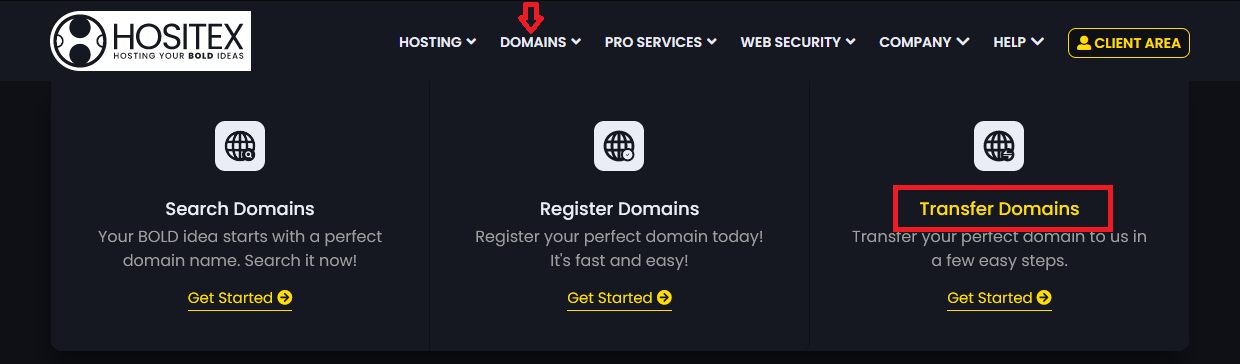
 

2. Input the Domain name and Epp Code/ Auth Code in the respective input fields and click Add to Cart.
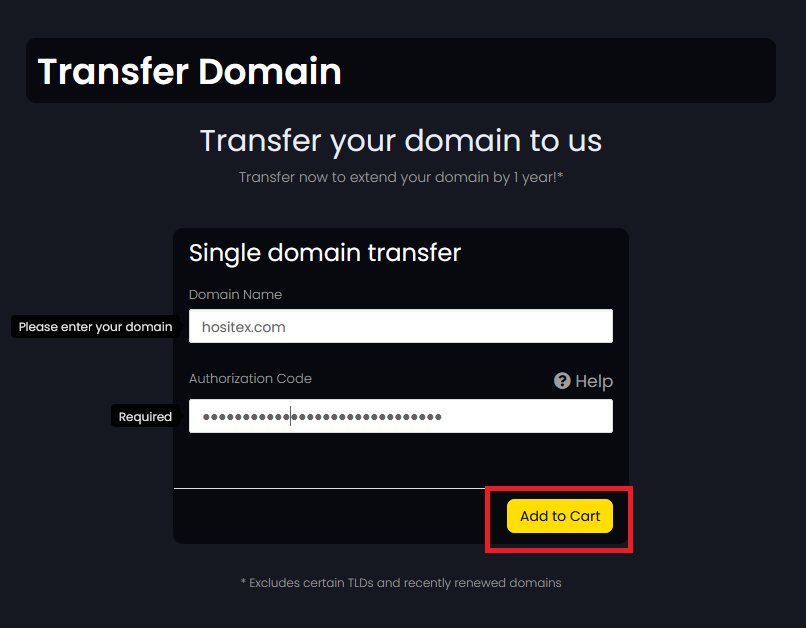
 

3. The eligibility results will be listed below and if eligible, you'll be redirected to the Domains configuration page.


4. Configure the Domain and add Hosting(if required) and click Continue. you'll be redirected to the Checkout page.
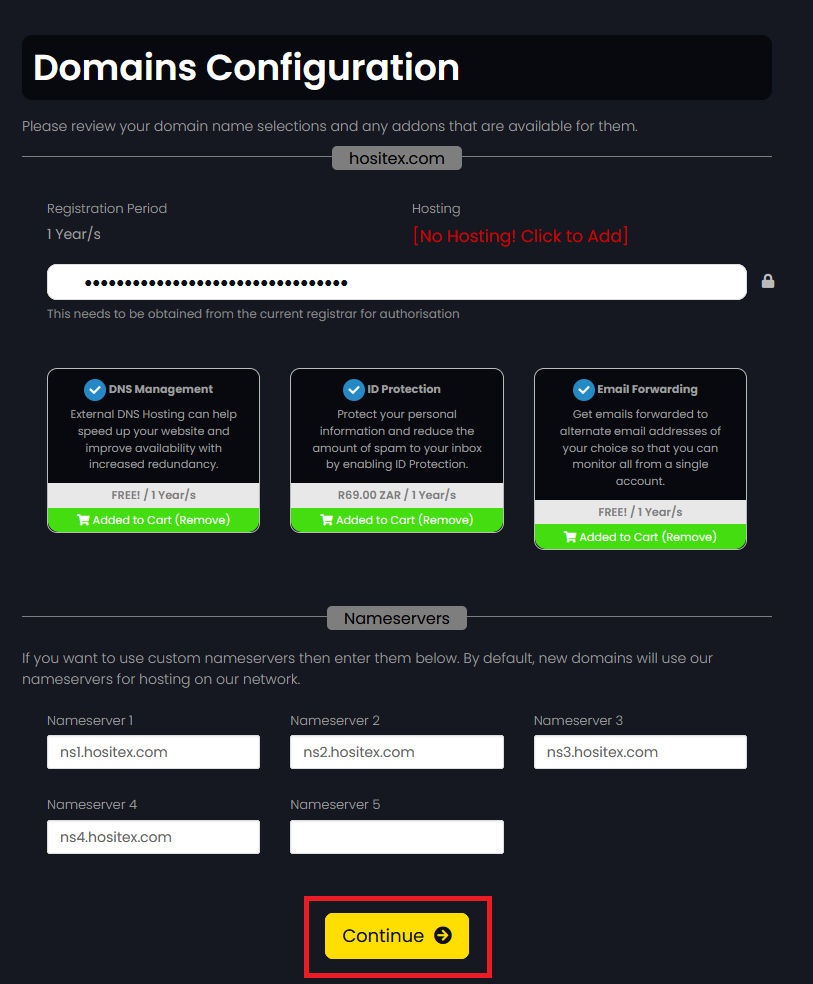
 

5. Review the Domain and Hosting Options and click Checkout.
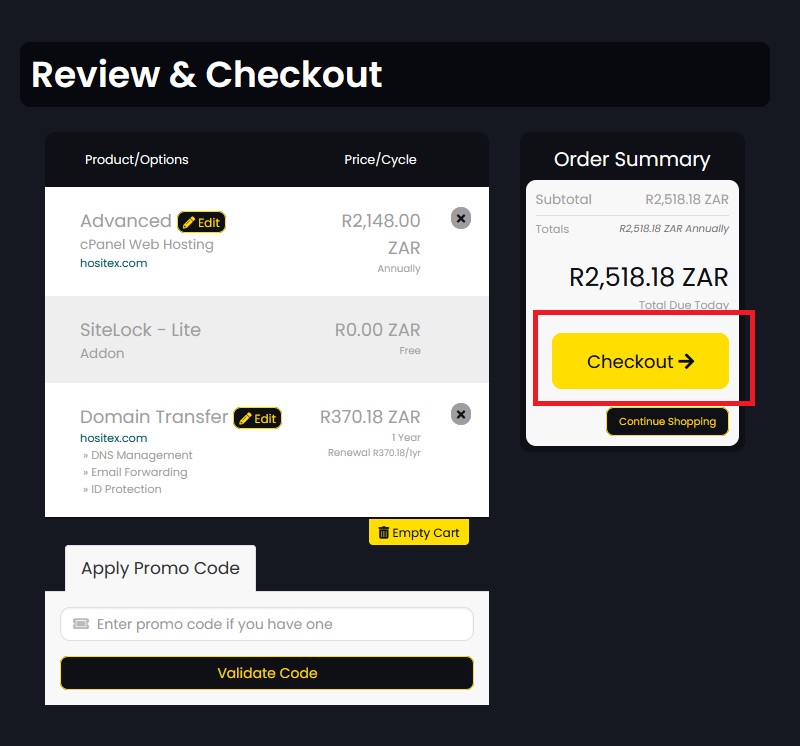
 

6. Either Login to your Hositex account, or Create an account if you are a new client.


NOTE: Please ensure that if you are transferring from one provider to another, that there are no outstanding amounts with the current ISP.

- The transfer duration is dependent on them to release it.

- The maximum period for a Domain Transfer is seven (7) days, provided the above criteria are met with your current provider.

  • 2 Users Found This Useful
Was this answer helpful?

Related Articles

How do I Register a Domain Name?

On the Hositex top menu bar, hover on Domains and Click Register Domains.   2. Check...

What is a Top Level Domain (TLD)?

TLDs (Top Level Domains) are technically the suffix (the letter after the domain name) of a URL...

If I Register a Domain through an ISP will I be the Owner of the Domain?

When registering a domain through an ISP (internet Service Provider), you are the owner and you...

Why does my Domain Display as Not Eligible for Transfer?

A domain will show as Not Eligible for Transfer if: There is a currently an outstanding fee...

What is WHOIS?

WHOIS is a public database that houses the information collected when someone registers a...

Powered by WHMCompleteSolution