
Dev License: This installation of WHMCS is running under a Development License and is not authorized to be used for production use. Please report any cases of abuse to abuse@whmcs.com

How do I Register a Domain Name?

  1. On the Hositex top menu bar, hover on Domains and Click Register Domains.

 

2. Check Availability: In the search bar, please enter the domain name you want and search.

 

3. Explore Similar Options: There will be a confirmation on the screen, as well as an option to select other TLDs, if you want them.
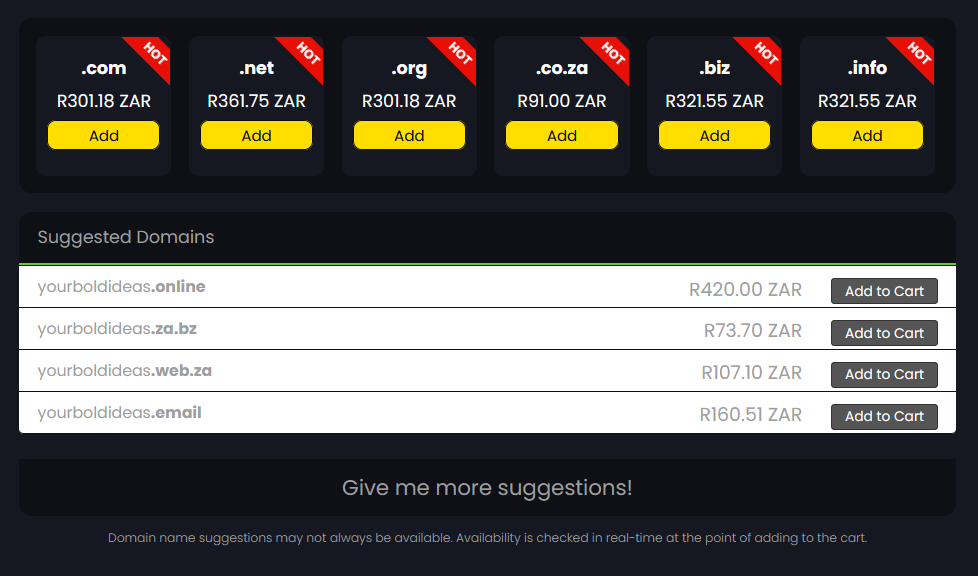
 

4. Add to Cart: Add the domain to your cart and click on the Checkout button. You'll be redirected to the Domains Configuration Page

5. Configure your domain: Select any addons available and update the nameservers if required and click Continue.

 

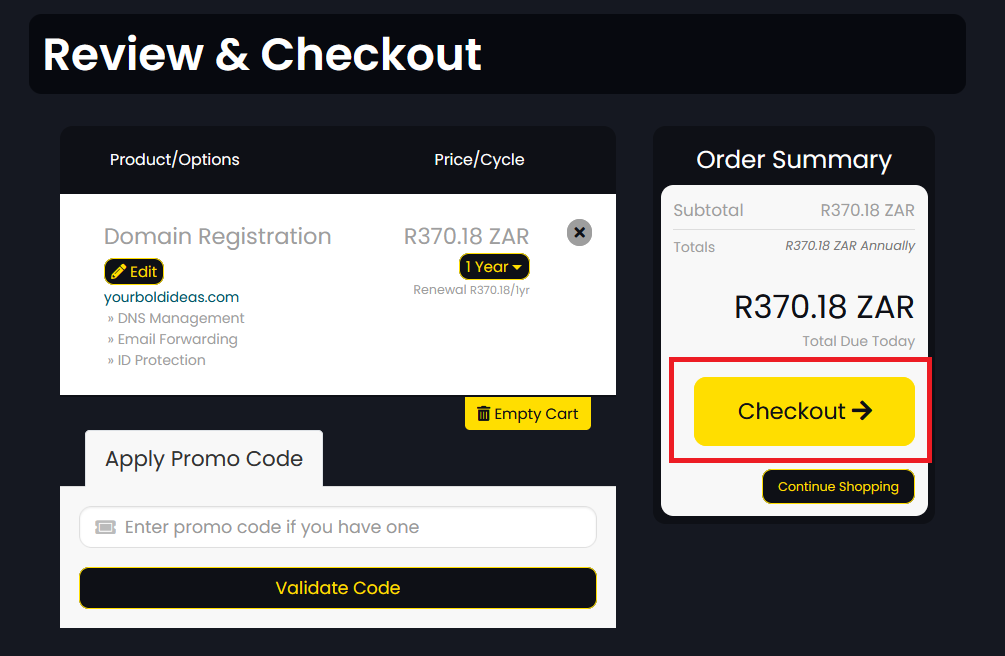
6. Review & Checkout: Review your domain options and click the Checkout button.
 

7. Create an Account: Create your new account, or login to your existing one.

 

8. Complete Contact Info: Fill out the form and submit.

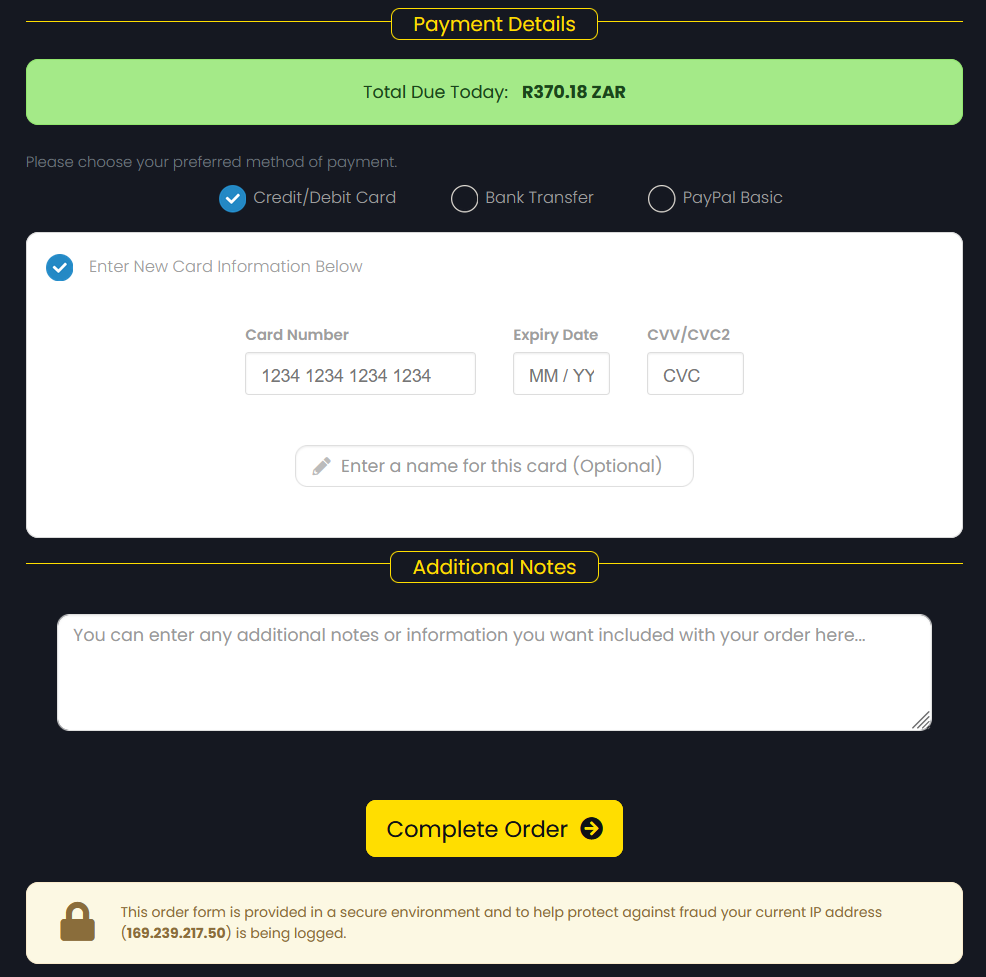
9. Secure Payment: Choose your preferred payment method and click Complete Order.
 

10. Quick Registration: Your registered domain will be yours when the Registration Fee has been paid and all relevant information has been provided.



  • 0 Users Found This Useful
Was this answer helpful?

Related Articles

How do I Transfer my Domain?

You can easily Transfer your Domain from one ISP to another by following the steps below:   1....

What is a Top Level Domain (TLD)?

TLDs (Top Level Domains) are technically the suffix (the letter after the domain name) of a URL...

If I Register a Domain through an ISP will I be the Owner of the Domain?

When registering a domain through an ISP (internet Service Provider), you are the owner and you...

Why does my Domain Display as Not Eligible for Transfer?

A domain will show as Not Eligible for Transfer if: There is a currently an outstanding fee...

What is WHOIS?

WHOIS is a public database that houses the information collected when someone registers a...

Powered by WHMCompleteSolution